How to Show What Changed Since the Last Run in a GitHub Actions Job Summary
A red build on GitHub Actions usually means scrolling. The job log holds thousands of lines, the failures are somewhere in the middle, and the first question is always the same: did this break just now, or has it been broken for a week? The log can’t say. It only knows about this run.
Abbreviatory can, if it keeps a history. Put abbreviatory run in front of the test command and send its report to the job summary. The summary page then opens with the new failures, the fixed ones, the tests that have been failing for several runs and the flaky ones. When nothing changed since the last build, it’s one line.
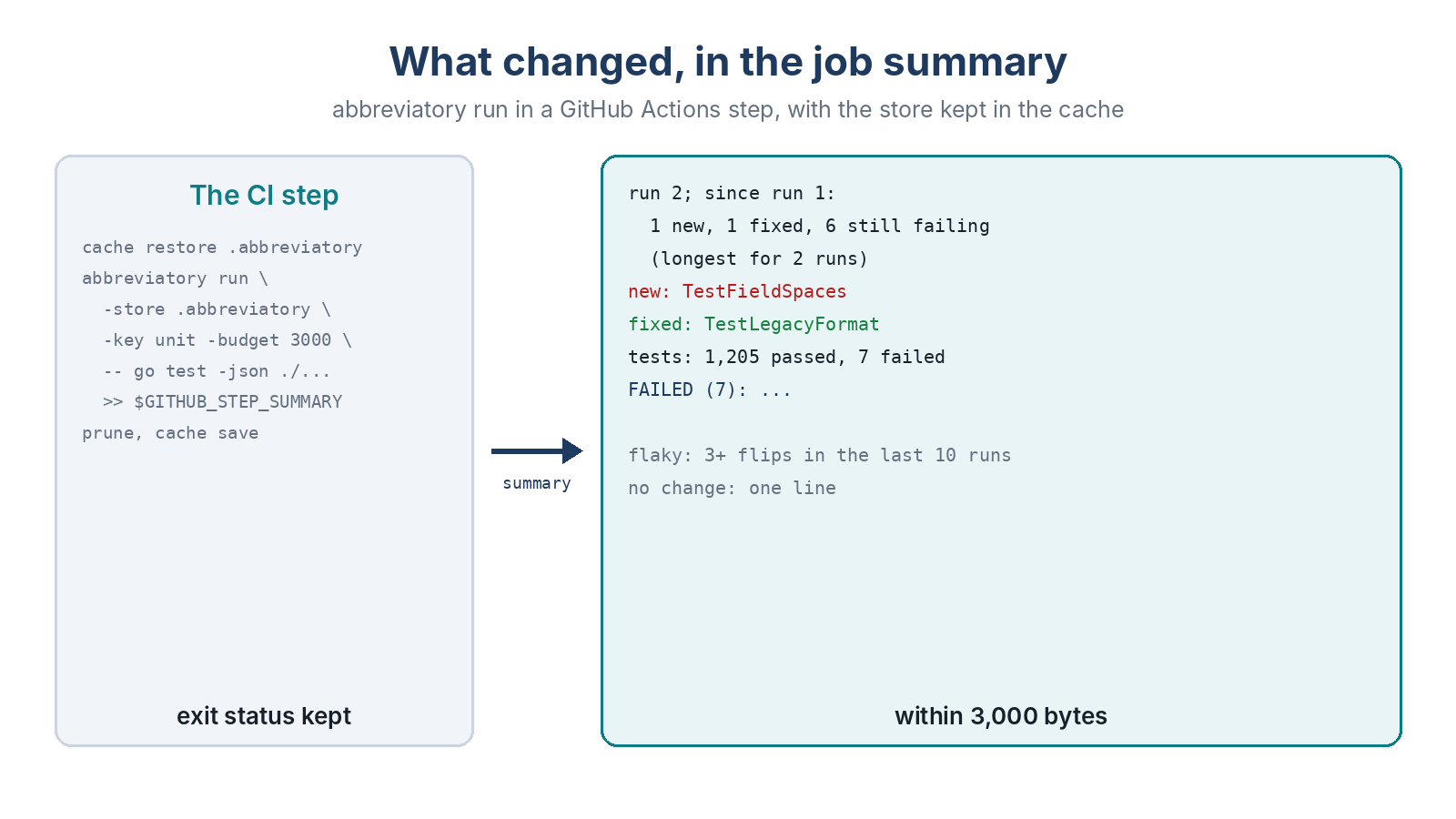
The Steps
CI machines start empty, so the history has to survive between runs. The cache does that. Restore it first, run the tests, then save it whether the tests passed or not:
- uses: actions/cache/restore@v4
  with:
    path: .abbreviatory
    key: abbreviatory-${{ github.ref_name }}-${{ github.run_id }}
    restore-keys: abbreviatory-${{ github.ref_name }}-
- run: abbreviatory run -store .abbreviatory -key unit -budget 3000 -- go test -json ./... >> "$GITHUB_STEP_SUMMARY"
- if: always()
  run: abbreviatory prune -store .abbreviatory -max-size 50MB
- if: always()
  uses: actions/cache/save@v4
  with:
    path: .abbreviatory
    key: abbreviatory-${{ github.ref_name }}-${{ github.run_id }}
run exits with the test command’s own status, so the step still fails when the tests fail and branch protection works as before. The cache key carries the branch name, so each branch keeps a history of its own. prune keeps the cache small.
What the Summary Says
On our sample suite, the second build after a change gives this at the top of the summary:
run 2; since run 1: 1 new, 1 fixed, 6 still failing (longest for 2 runs)
new: TestFieldSpaces (example.com/gosample/parse, 0.00s) [ref 3e35712ad529:g1205]
fixed: TestLegacyFormat (example.com/gosample/parse, 0.00s) [ref 6f92e70f603c:g1213]
tests: 1,205 passed, 7 failed, 1 skipped
Below that come the failures themselves with their messages, the new one first. A test that flipped between passing and failing three or more times in the last ten runs is listed as flaky, not as new and fixed every other build, so a flaky test stops looking like news. A failing test that doesn’t show up at all is listed as not run, not as fixed.
A rerun of the same commit with the same failures says so in one line, with the run number. If the job was killed and the exit status changed with the same output, the summary says that too.
Other Runners and Other CI
The same works for pytest (abbreviatory run -key unit -- pytest -v), for a JUnit report from Jest, Maven or Gradle piped through abbreviatory reduce -key unit, and for a build log, where it compares error kinds: new, gone, recurring and intermittent. On GitLab, Jenkins or Buildkite the only change is where the store is cached and where the report goes.
The history lives in the cache, so if the cache is evicted the next build is run 1 again, and flaky detection needs ten runs before it says anything. Both are in the reference with the rest of the limits.